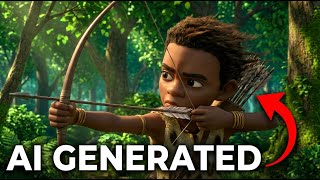
Africa Amaze avatarThumbnail — How to Make Full Cartoon Animation Stories With FREE AI (Step-by-Step)How to Make Full Cartoon Animation Stories With FREE AI (Step-by-Step)
Community library — not by the creator.
14 prompts

Jump to the moment you're watching:

Watch on YouTube
Step 1 of 14

Base Scene Generation

To create the initial 3D Pixar-style image of the characters in the fog.

Google ImageFX
3D cartoon Pixar-style view of ancient Black African people. The screen is thick with Harmattan fog. The trees around are all dry. An elder warrior clad in animal skin sits on top of a horse draped in leopard skin. His son is beside him in the distance, also sitting on a horse clad in animal skin. They are both looking into the distance ahead into the fog which has covered the whole place. The man is holding a bow with many arrows in their case hanging at his back. the boy also has a bow and arrow in hand, almost ready to shoot into the fog while sitting on the horse
08:43
Step 2 of 14

9-Frame Storyboard Generation

To generate a storyboard with various shots from the base image.

Gemini 1.5 Pro
Create a 9 frame storyboard of the scene in the same aspect ratio using the same consistent characters. There should be an extreme close-up of the boy's face and an extreme close-up of the ma's face. an extreme close-up of the boy's hand showing the tip of the arrow and the boy's hand holding it against the bow. A close-up of the horse legs only and an extreme close-up of the old man's hand in midair signaling "wait" or "hold on." A shot from behind them as they sit on the horses, showing the thick fog in front and the dry trees in the fog as the boy is still in ready-to-shoot mode with his bow and arrow. Also add an establishing drone shot of the foggy dry forest where they are standing. All the images should be in the equal size of 21:9 format. Make sure all the images are still facing the same direction, consistent with the base image. Keep the 180-degree cinematography rule in mind and make sure each character still stays at the same consistent side of the screen regardless of the angle.
11:28
Step 3 of 14

Nano Banana Storyboard Generation

To generate an alternative storyboard using the Nano Banana model.

Nano Banana
Create a 9 frame storyboard of the scene in the same aspect ratio using the same consistent characters. There should be an extreme close-up of the boy's face and an extreme close-up of the ma's face. an extreme close-up of the boy's hand showing the tip of the arrow and the boy's hand holding it against the bow. A close-up of the horse legs only and an extreme close-up of the old man's hand in midair signaling "wait" or "hold on." A shot from behind them as they sit on the horses, showing the thick fog in front and the dry trees in the fog as the boy is still in ready-to-shoot mode with his bow and arrow. Also add an establishing drone shot of the foggy dry forest where they are standing. All the images should be in the equal size of 21:9 format. Make sure all the images are still facing the same direction, consistent with the base image. Keep the 180-degree cinematography rule in mind and make sure each character still stays at the same consistent side of the screen regardless of the angle.
13:51
Step 4 of 14

Scale Up Frame One

To enlarge the first frame of the generated storyboard.

Gemini 1.5 Pro
scale up frame one
15:42
Step 5 of 14

Scale Up With Ratio

To enlarge the first frame while maintaining the 21:9 aspect ratio.

Gemini 1.5 Pro
scale up frame one in the same 21:9 aspect ratio
15:59
Step 6 of 14

Scale Up Frame Two

To enlarge the second frame while maintaining the aspect ratio.

Gemini 1.5 Pro
scale up frame two in the same 21:9 aspect ratio
16:29
Step 7 of 14

Recreate Cropped Image

To regenerate a cropped image to improve its quality and ratio.

Nano Banana
recreate the same image in the same aspect ratio
18:41
Step 8 of 14

Remove Characters from Scene

To generate a clean background plate of the forest.

Nano Banana
take the people out and show a shot of the forest only from a worms eye view
19:50
Step 9 of 14

Remove Characters With Ratio

To generate a clean background plate in a 21:9 aspect ratio.

Nano Banana
take the people out and show a shot of the forest only from a worms eye view in the same 21:9 format
20:10
Step 10 of 14

Remove Horses from Scene

To create an empty background plate for a later video generation.

Grok
take out the horses
21:48
Step 11 of 14

Horses Walking Video

To animate the horses walking into the empty frame.

Grok
the two horses walk into shot and stop as the camera remains static
24:05
Step 12 of 14

Boy Anticipation Video

To animate a subtle portrait of the boy concentrating.

Grok
the boy is sitting still and concentrating while moving his eyeballs slightly in anticipation. the camera is slowly moving in towards his face
28:11
Step 13 of 14

Character Voice Prompts

To generate descriptive prompts for creating text-to-speech voices.

Gemini
create prompts for two distinctive voices from an old active african warrior from Ghana, West Africa, and a young strong boy. make the prompts short
29:55
Step 14 of 14

Boy Dialogue Prompt

To formulate a prompt for generating the boy's spoken dialogue.

Gemini
act as Kojo, a 14-year-old boy known for his unusual strength. Your tone is energetic, earnest, and slightly boastful. You use simple language, focus on physical action (climbing, lifting, wrestling), and are deeply driven by a need to earn your place among the men. He says: How do you hunt so well even at this age
31:18