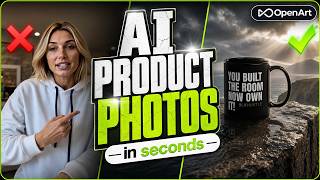
Filedesign avatarThumbnail — How to Create PERFECT AI Product Photos (Nano Banana + OpenArt)How to Create PERFECT AI Product Photos (Nano Banana + OpenArt)
6 prompts

Jump to the moment you're watching:

Watch on YouTube
Step 1 of 6

Replace sneakers on model

Swap the sneakers in a street photo for the red Adidas Campus while keeping size, angle and shadows.

Nano Banana 2
replace the sneakers on the man with the red Adidas Campus sneakers, match the size, the angle, and the shadows.
01:30
Step 2 of 6

Levitating model effect

Make the model float above the street in the same pose as a reference photo, keeping outfit and sneakers.

Nano Banana 2
Make the man from the street photo levitate high above the ground in the same pose as the man in the reference photo. Keep it realistic, same background, lighting, outfit, and red Adidas sneakers. add natural shadow below him on the street.
02:34
Step 3 of 6

Cliff edge background

Generate a dramatic cinematic cliff-edge background from scratch (Auto Polish on, widescreen output).

Flux Kontext Pro
Close-up photo of a rugged cliff edge with sharp detail in the foreground. The background shows a dramatic dead drop with stormy clouds and a dark, moody sky. Extreme cinematic photography, realistic textures, and high detail.
04:14
Step 4 of 6

Place mug on cliff ledge

Composite the black coffee mug onto the generated cliff scene with matching perspective, shadows and reflections.

Nano Banana 2
Place the black coffee mug on the flat, wet rocky ledge on the left side of the cliff, close to the edge. Match the perspective and scale so it looks naturally grounded on the stone. Add realistic shadows and subtle reflections from the damp surface. Keep the dramatic stormy sky and sun rays breaking through the clouds in the background unchanged.
05:06
Step 5 of 6

Recolor hoodie to yellow

Replace the gray hoodie on the model with a yellow one while keeping pose, lighting and folds.

Nano Banana 2
replace the gray hoodie on the model with a yellow hoodie. Keep the same pose, lighting, and folds so it looks natural.
06:08
Step 6 of 6

Invisible hoodie effect

Make the hoodie look hollow with no person inside, keeping the hood, print, shape and folds.

Nano Banana 2
Make the pink hoodie look hollow, as if no person is inside it. Don't remove the hood, make it look as there is no person inside, keep the writing on the hoodie untouched. Keep the shape of the hoodie the same, with realistic shadows and folds.
06:38