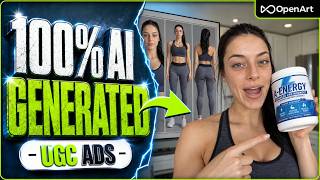
Filedesign avatarThumbnail — How to Create Hyper-Realistic AI UGC Ads (OpenArt Tutorial)How to Create Hyper-Realistic AI UGC Ads (OpenArt Tutorial)
9 prompts

Jump to the moment you're watching:

Watch on YouTube
Step 1 of 9

Base character generation

Generate a photorealistic character image for the UGC ad.

GPT Image 2
A 20-year-old woman with light skin, long black hair in a ponytail, blue eyes, slim, wearing sports top and pants. Happy neutral expression, looking directly at camera. Chest-up shot, standing in pure grey background. Shot on iPhone front camera, soft natural window light, slight grain, natural skin texture with visible pores and minor imperfections. Photorealistic, candid amateur photo, vertical 9:16
01:33
Step 2 of 9

Character reference sheet creation

Create a reference sheet with multiple consistent angles of the character.

Nano Banana 2
A character reference sheet of @image1, presented in three separate poses on a single sheet: a chest-up close-up shot facing forward, a full-body shot standing straight, facing forward, arms relaxed at her sides, and a full-body back view shot, standing straight, showing the back of her hair and outfit. Pure grey background, no text.
02:08
Step 3 of 9

Product image generation

Generate a clean reference image of the pre-workout product to be advertised.

Nano Banana 2
Create a pre-workout tub called "A-Energy." The tub should be primarily white with blue as the secondary accent color, set against a clean, pure grey background.
03:00
Step 4 of 9

Pre-workout ad prompt generation

Instruct Claude to generate a complete script and text-to-video prompt for the pre-workout ad.

Claude
Create a UGC Ad Prompt using these specifications (if settings are missing, fill in for me):

CHARACTER
- Reference: @image1
- Outfit: (leave blank for reference image look)

PRODUCT
- Name: A- Energy
- What it is: preworkout, blue raspberry flavour
- Product reference image: @image2

SETTING
- Camera style: selfie at arm's length, tripod setup etc
- Location: Kitchen
- Time of day + lighting: warm early afternoon

SPEC
- Number of shots (with seconds labeled per shot): 5 shots
Shot 1 (0-5s, explain shot, or leave seconds blank and let AI decide)
Shot 2:

- Total duration: 20s
- Aspect ratio: 9:16
- Video model: Seedance 2.5

SCRIPT
- Target viewer:
- Pain point:
- Main benefit:
- Tone:
- CTA: link in bio
OUTPUT FORMAT: Write the final prompt as one compact continuous UGC video prompt. Start with one short paragraph defining the overall video format, character, setting, lighting, camera style, and performance/tone. When a character, outfit, product, or other visual element has a reference image, refer to it directly using its provided reference tag such as @image1, @image2, @image3, etc. Do not write out or repeat detailed visual descriptions of anything already shown in a reference image unless a specific detail needs to be changed or emphasized. Then write each shot on its own line using Shot 1 (0-4s), Shot 2 (4-8s), etc. For each shot, briefly describe the action/camera movement and character performance. If there is dialogue, end the shot line with "Dialogue: [Dialogue]". End with one short continuity sentence covering consistent character identity, outfit, product design, setting, natural movement/audio, and quality so background models needed can be pulled in if you want to fix any gaps. Avoid visual distortions. Keep descriptions concise and practical for the specified video model. Do not add separate sections for character, product, target viewer, pain point, benefits, tone, or technical specifications—incorporate these naturally into the opening paragraph, shots, and dialogue.
04:14
Step 5 of 9

Text-to-Video ad generation

Generate the pre-workout UGC video sequence using the Claude script.

Seedance 2.5
UGC selfie-style ad, vertical 9:16, shot on Seedance 2.5. The character is @image2, filming herself handheld at arm's length in a bright, warm kitchen during early afternoon — soft natural light spilling in, casual and authentic energy, like a real fitness influencer talking to her phone. She's in her reference outfit throughout. The product is the A-Energy Blue Raspberry pre-workout tub shown in @image1. Tone is upbeat, casual, and genuine — like she's hyping up a friend before a workout, not reading a script. Total runtime 20 seconds across 5 shots.

Shot 1 (0-4s): She's in the kitchen holding her phone at arm's length, walking into frame with the @image1 tub already in her other hand, grinning at the camera. She says: "Okay so if you've been asking what I take before leg day — this is it."

Shot 2 (4-8s): She sets the tub down on the counter, angles the label toward the camera so @image1 is clearly visible, tapping the lid. She says: "A-Energy, blue raspberry — it's basically my whole personality now."

Shot 3 (8-12s): She scoops the powder into a shaker bottle, holding the camera slightly lower to catch the pour. She says: "No more dragging myself to the gym feeling half-dead. One scoop and I'm actually locked in."

Shot 4 (12-16s): She shakes the bottle, takes a quick sip, reacts with a satisfied "mmm" and raises her eyebrows at the camera. She says: "Tastes like blue raspberry candy, not chalk — that's the part that sold me."

Shot 5 (16-20s): She holds the tub up next to her face, smiling directly into the lens, casually pointing toward the camera. She says: "Focus, energy, the pump — all of it. Link's in my bio, go grab it."

Continuity: the character's face, hair, and build stay consistent with @image2 across all shots, same outfit throughout, same A-Energy tub design from @image1 in every close-up, same warm kitchen lighting and handheld selfie framing, natural hand movement and ambient kitchen sound, no distortion of facial features, product label, or proportions between shots.
04:52
Step 6 of 9

Assembled cat house image

Generate a reference image of the fully assembled cat house.

Nano Banana 2
A cat house with an integrated scratching post, no cat in the shot, set against a clean, pure grey background.
06:49
Step 7 of 9

Disassembled cat house image

Generate a reference image of the cat house disassembled into parts for the unboxing ad.

Nano Banana 2
Using @image1, disassemble it and lay out each individual part separately, set against a clean, pure grey background.
06:59
Step 8 of 9

Cat house ad prompt generation

Instruct Claude to draft the unboxing and assembly video ad script for the cat house.

Claude
Create a UGC Ad Prompt using these specifications (if settings are missing, fill in for me):

CHARACTER
- Reference: @image1
- Outfit: Comfortable indoor clothing

PRODUCT
- Name: 
- What it is: a house with a scratching post for cats
- Product reference image: @image2 (assembled) & @image3 (disassembled)

SETTING
- Camera style: tripod setup
- Location: Inside a living room
- Time of day + lighting: mid day

SPEC
- Number of shots (with seconds labeled per shot): [1 continuous clip, or specify number of shots]
Shot 1: she explains how she found the best cat house with her cat in the shot
Shot 2: she brings a box into frame
Shot 3: she unboxes it and starts pulling parts out
Shot 4: she builds the house while her cat watches
Shot 5: b roll of finished cat house
Shot 6: shot of her cat scratching the post
Shot 7: ending with a call to action

- Total duration: 25s
- Aspect ratio: 9:16
- Video model: Seedance 2.5

SCRIPT
- Target viewer:
- Pain point:
- Main benefit:
- Tone:
- CTA: link in bio
OUTPUT FORMAT: Write the final prompt as one compact continuous UGC video prompt. Start with one short paragraph defining the overall video format, character, setting, lighting, camera style, and performance/tone. When a character, outfit, product, or other visual element has a reference image, refer to it directly using its provided reference tag such as @image1, @image2, @image3, etc. Do not write out or repeat detailed visual descriptions of anything already shown in a reference image unless a specific detail needs to be changed or emphasized. Then write each shot on its own line using Shot 1 (0-4s), Shot 2 (4-8s), etc. For each shot, briefly describe the action/camera movement and character performance. If there is dialogue, end the shot line with "Dialogue: [Dialogue]". End with one short continuity sentence covering consistent character identity, outfit, product design, setting, natural movement/audio, and quality so background models needed can be pulled in if you want to fix any gaps. Avoid visual distortions. Keep descriptions concise and practical for the specified video model. Do not add separate sections for character, product, target viewer, pain point, benefits, tone, or technical specifications—incorporate these naturally into the opening paragraph, shots, and dialogue.
08:08
Step 9 of 9

Cat house Text-to-Video generation

Generate the unboxing and assembly video ad for the cat house.

Seedance 2.5
UGC Video Prompt:

A realistic 9:16 vertical UGC-style ad filmed as if on a tripod in a bright, mid-day living room. The character (@image1) wears comfortable indoor loungewear — a soft oversized tee and joggers — and speaks directly to camera in a warm, casual, girl-next-door tone, like she's genuinely excited to show a friend her new find. Natural handheld-adjacent framing with a few static tripod shots mixed with quick cuts, soft natural window light, cozy home ambiance, and her real pet cat interacting naturally throughout. The product is the Nestwood Cat Tower — a minimalist maple-wood cat house with a jute scratching post and a felt hammock (@image2 assembled, @image3 disassembled/flat-pack parts). Target viewer: cat owners tired of ugly plastic cat furniture that clashes with their home decor. Pain point: most cat trees are bulky, cheap-looking, and destroy the aesthetic of a nice living room. Main benefit: a beautifully designed, sturdy wood cat house that doubles as furniture while giving cats a cozy den and scratching post. Tone: friendly, casual, enthusiastic, slightly humorous.

Shot 1 (0-4s): She sits on the living room floor next to her cat, smiling at camera, gesturing casually. She says: "Okay so I've been on a mission to find a cat house that doesn't look like a plastic eyesore in my living room — and I think I finally found it."

Shot 2 (4-7s): She reaches off-frame and pulls a cardboard box into view, setting it down in front of her, cat sniffing curiously nearby. She says: "This just showed up today, let's open it together."

Shot 3 (7-11s): Close-up tripod shot as she opens the box and starts pulling out the flat-pack wooden pieces (@image3), holding a few up to inspect them. She says: "Look at this wood, it's actual maple plywood, not some flimsy particle board."

Shot 4 (11-17s): Time-lapse-style quick cuts of her assembling the pieces on the floor, screwing in the post, cat pawing at the rope post curiously as she works. She says: "It literally took me like ten minutes with just a screwdriver, no drama."

Shot 5 (17-20s): Wide static tripod b-roll shot of the fully assembled cat house (@image2) sitting in the living room, cat sniffing around it, soft daylight highlighting the wood grain. She says (off-screen): "And honestly? It looks like actual furniture."

Shot 6 (20-23s): Close-up of the cat scratching the jute post enthusiastically, tail flicking, natural scratching sounds audible. She says (off-screen): "She's already obsessed with the scratching post."

Shot 7 (23-25s): She sits beside the finished cat house, smiling at camera, cat climbing into the den opening behind her. She says: "Link's in my bio if you want one for your own cat."

Throughout, maintain consistent identity and appearance of the character from @image1, the same loungewear outfit, the same maple-wood cat house design from @image2/@image3, consistent mid-day window lighting and living room setting, natural cat movement and ambient home sound, with no warping, duplication, or distortion of her face, hands, or the product's wood grain and proportions.
08:24